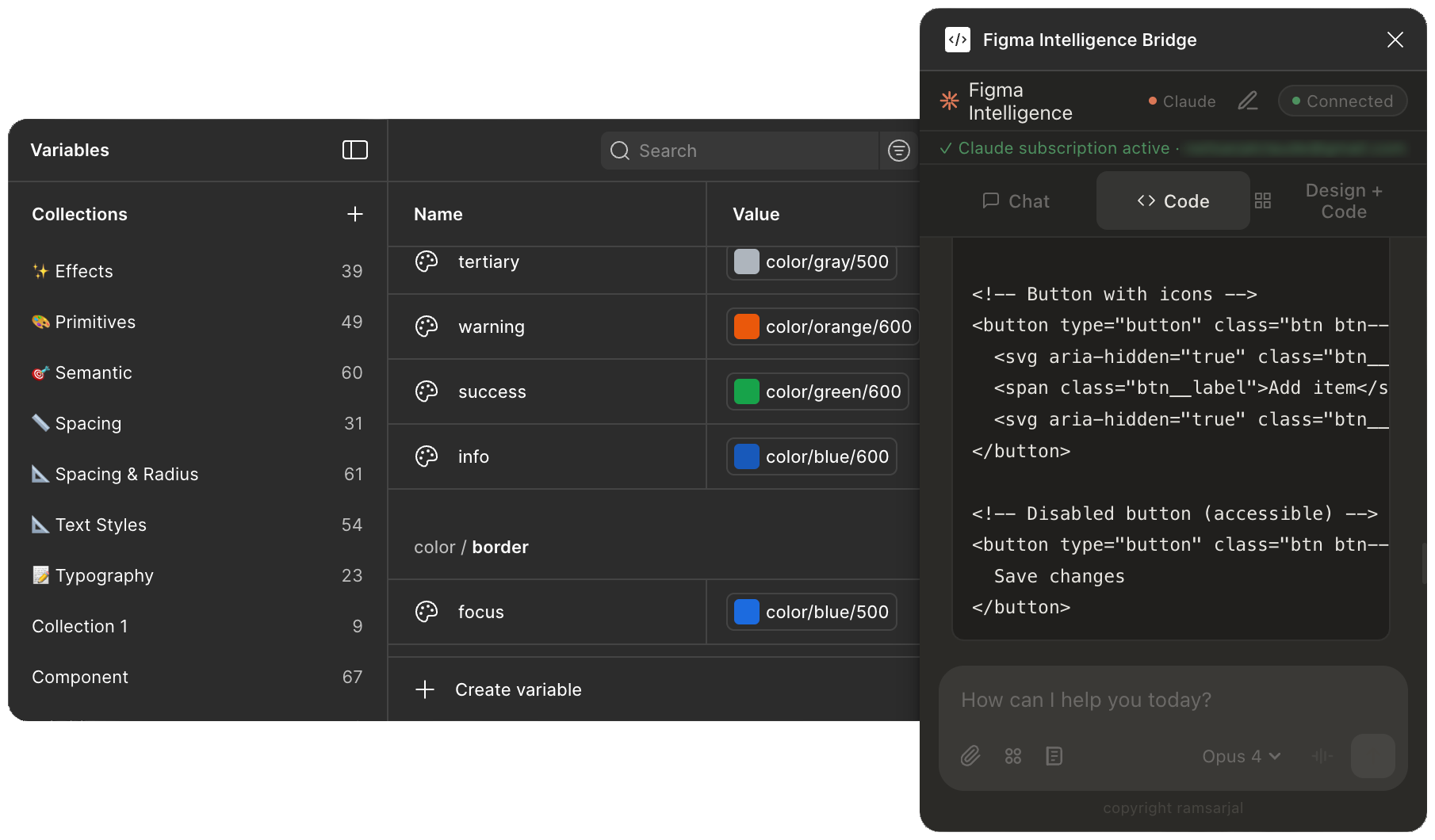
Every AI plugin wants $30/month. We charge $0. Bring your own Claude, Gemini, Codex, or Copilot — we’ll plug it into Figma with 88 tools for screens, tokens, accessibility, and code. No trial. No paywall. No catch.
Don’t have Node.js? Download the LTS version from nodejs.org first — it’s required to run the setup command in Step 2.
Step 2 — Run the setup command
Open your terminal and run this one command:
npx @sarjallab09/figma-intelligence setup
The setup wizard will automatically:
Install dependencies and build the MCP server
Detect which AI CLIs you have installed and check login status
Ask for your Figma Personal Access Token (see below)
Register the MCP server with all detected providers
Start the local relay server
Copy the plugin files to your Documents folder and paste the path to your clipboard
Optionally install as a background service (macOS)
How to get your Figma Personal Access Token
Open Figma Desktop
Click your profile photo (top-left) → Settings → Security
Scroll to Personal access tokens → Generate new token
Give it any name (e.g. Figma Intelligence)
Copy the token — Figma only shows it once
Managing the relay after setup
Command
What it does
npx @sarjallab09/figma-intelligence start
Start the relay server
npx @sarjallab09/figma-intelligence stop
Stop the relay server
npx @sarjallab09/figma-intelligence status
Show relay + provider status
npx @sarjallab09/figma-intelligence doctor
Diagnose any issues
npx @sarjallab09/figma-intelligence@latest update
Update plugin to latest version
Every time you restart your computer: If you installed the background service during setup (macOS), the relay starts automatically. Otherwise run npx @sarjallab09/figma-intelligence start before opening the plugin.
Step 3 — Load the plugin in Figma one-time
Requires Figma Desktop — the browser version won’t work. You only do this once — after import, the plugin stays in your Figma permanently.
The setup command already copied the plugin path to your clipboard and opened the plugin folder in Finder. Just follow along:
1
Open any file in Figma Desktop
The plugin import option only shows up when a design file is open.
2
Open the Resources panel
Press Shift + I or click the grid icon in the top toolbar.
3
Import the plugin
Click the Plugins tab at the top → click the ··· menu in the top-right corner of the panel → select “Import plugin from manifest…”
4
In the file picker, find manifest.json
Two ways, pick whichever is easier:
Option AFastest
Paste the path
The path is already in your clipboard.
Mac:Cmd + Shift + G → Cmd + V → Enter
Windows:Ctrl + L → Ctrl + V → Enter
Option B
Navigate manually
Browse to the plugin folder:
Documents → Figma Intelligence → manifest.json
5
Click Open — the plugin is now installed
That’s it for Step 3. Head to Step 4 below to launch it.
Step 4 — Open the plugin and start chatting
You can open Figma Intelligence any time using either of these:
A
Right-click anywhere on the canvasPlugins → Figma Intelligence
Pro tip: Right-click the plugin name and select “Save to favorites” to pin it to the top of your Plugins menu for instant access.
The plugin auto-connects to the relay. Chat box is at the bottom — just type what you want to build.
Using the plugin
Type what you want in the chat box at the bottom of the plugin panel:
"Create a login screen with email and password fields""Add a navigation bar with 4 menu items""Design a card component with a photo, title, and a blue button"// Attach a screenshot, then:"Recreate this layout in Figma"
To attach an image: click the paperclip icon next to the chat box.
Three modes
Tab
What it does
Chat
Ask questions — the AI answers but does not change your Figma file
Code
The AI builds and edits your Figma design directly using MCP tools
Design + Code
Same as Code, but also generates React / Vue / Svelte source code and writes it to your VS Code workspace
Design + Code mode
The most powerful mode. From a single prompt, the AI:
Creates the component in Figma — with auto layout, variants, and design tokens
Generates matching code — component file, CSS module, and Storybook story
Writes the code to your VS Code workspace — files appear in src/components/ automatically
If VS Code is not running, code output still appears in the Figma chat as text.
Switching AI providers
Use the provider badge in the plugin header to switch between Claude, OpenAI, Gemini, and Copilot at any time. Setup registers the same MCP server for all providers, so switching reuses the running relay automatically.
It’s in ~/Documents/Figma Intelligence/. On Mac, use Cmd+Shift+G in the file picker and paste the path.
Chat does nothing / no response
Re-authenticate your AI provider: claude login / codex login / gemini
Gemini doesn’t build in Figma
Run npm i -g @google/gemini-cli, then gemini to sign in, then re-run setup
Wrong or expired Figma token
Re-run npx @sarjallab09/figma-intelligence setup and paste your new token
Port 9001 already in use
Run npx @sarjallab09/figma-intelligence stop then start again
Not sure what’s broken
Run npx @sarjallab09/figma-intelligence doctor for full diagnostics
Updating to a new version
npx @sarjallab09/figma-intelligence@latest update
This copies the latest plugin files to your local folder. Just close and reopen the plugin in Figma — changes are picked up automatically.
No VC · No Seat License · No BS
Two designers. One conviction. Designers shouldn’t pay for AI.
Nilmani Kumar
Product Designer & AI Tooling Builder
Nilmani is a product designer obsessed with closing the gap between design and development. He built Figma Intelligence to eliminate the copy-paste loop between AI tools and Figma — enabling designers to generate tokens, clone screens, audit accessibility, and ship code without ever leaving their canvas.
Figma Intelligence started as an experiment to see how far AI could go inside a design tool. It grew into a full plugin system connecting multiple AIs, 88 tools, and a live VS Code bridge — all from a single chat panel inside Figma.
Ram is a Product Designer with 13+ years of experience leading and building multi-disciplinary design teams.
Ram is deeply involved in AI research and building AI-powered design tools. He co-created Figma Intelligence to bring AI directly into the design workflow — exploring how large language models can generate production-ready components, audit accessibility, and bridge the gap between design and code. His work focuses on making AI usable for designers, not just engineers.